
How to Choose the Best 1080p Video Door Phone?

Choosing the best 1080p Viddeo Door Phone is not simply a matter of selecting the sharpest image. Real performance depends on lighting, sound, installation, and daily reliability. A camera may show a crisp face at noon, yet produce blurred footage under a porch lamp at night.

Jamie Siminoff, founder of Ring and a recognized video doorbell innovator, once said, “The doorbell has been around for 100 years, but it hasn’t changed much.” That observation still matters. A modern 1080p Viddeo Door Phone should improve more than appearance. It should let you identify visitors clearly, hear a quiet voice, and respond without frustrating delays.

Look for a wide viewing angle and useful night vision. Check whether the microphone reduces traffic noise. Test the live view through your actual Wi-Fi network, not only beside the router. Motion detection should distinguish a person from a passing shadow or swaying tree. That feature is often overlooked.

Storage also deserves careful attention. Confirm whether recordings use local memory, cloud service, or both. Read the privacy controls before installation. Strong passwords and regular firmware updates are practical protections, not technical decoration.

Experience can expose weaknesses. A glossy specification sheet cannot reveal poor performance in rain, bright sunlight, or weak wireless conditions. Some models still need better app design. That is worth admitting.

This guide compares image quality, audio clarity, connectivity, durability, privacy features, and installation effort. The goal is a dependable choice for your doorway, not an impressive number on a box.
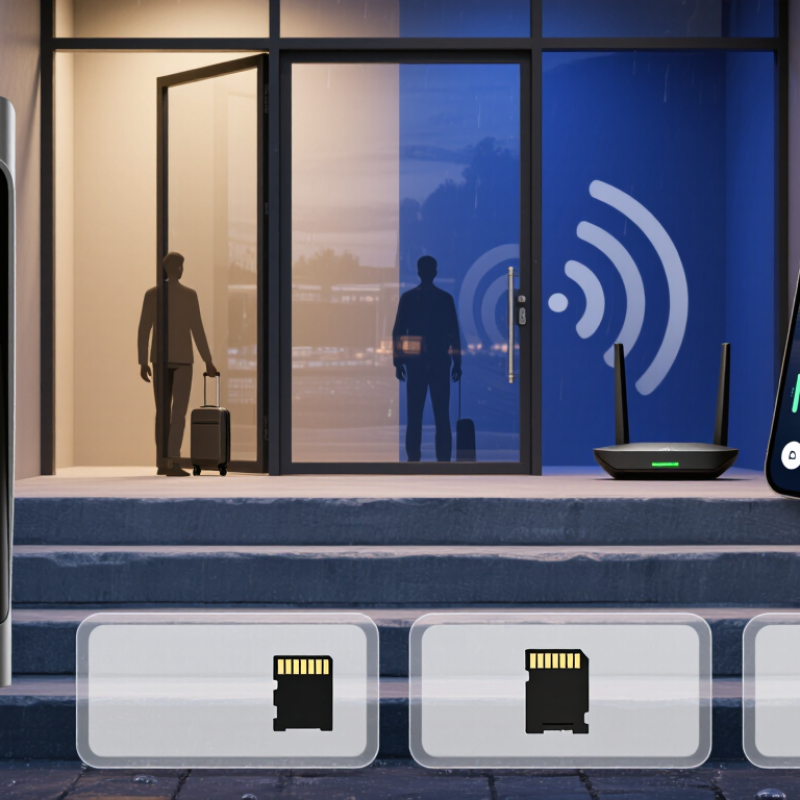
How to Choose the Best 1080p Video Door Phone?

Define Your Video Door Phone Needs and Installation Environment

Choosing the best 1080p video door phone starts with your doorway, not the resolution. Measure the mounting height, viewing distance, and available wall space. A 1080p image provides 1,920 × 1,080 pixels, but lens quality and lighting determine practical clarity. Parks Associates’ 2024 consumer research reports video doorbell ownership at roughly one in four U.S. internet households. That growth shows demand, but every entrance has different requirements.

Observe the installation environment carefully. A shaded porch may need infrared night vision and wide dynamic range. A sunny gate may need strong glare control. Check the camera’s viewing angle before drilling. Test whether visitors’ faces remain visible when they stand close to the door. Wireless installation is convenient, yet thick walls can weaken signals. Ethernet or power-over-Ethernet may offer steadier performance, where cabling is practical. It is less elegant, sometimes.

Security settings deserve equal attention. NISTIR 8259A recommends unique credentials, secure software updates, and protection for stored data. Confirm these functions before purchase. Also check outdoor weather protection, operating temperature, backup power, and indoor monitor compatibility. Do not assume cloud recording is necessary. At 2 Mbps, one hour of video uses about 0.9 GB, although compression changes the result. I once considered resolution the main decision. Field testing changed my mind. Test the unit at dawn, noon, and night, then review faces, voices, and backlighting before final installation.

Compare 1080p Image Quality, Viewing Angles, and Night Vision

A 1080p video door phone records 1,920 by 1,080 pixels, or about two megapixels. That sounds sharp, but resolution alone does not guarantee useful faces. The NIST Face in Video Evaluation report shows that recognition performance changes significantly with face size and image quality. A visitor standing far from the camera may still appear unclear. Check the actual pixel density near the entrance, not only the advertised resolution.

Viewing angle needs careful testing. A lens around 120 degrees can cover a porch and pathway, but wider views may create curved edges and smaller faces. The IEC 62676-4 standard stresses scene detail, target size, and camera placement in surveillance evaluation. Stand beside the door, then walk toward it. Look for stretched faces, blocked corners, and lost detail. My first preference was the widest lens, but real tests often made a moderate angle more practical.

Night vision is equally important. Infrared illumination can reveal a visitor in darkness, yet nearby walls may reflect light and wash out facial details. An 850-nanometre infrared light usually appears faintly red, while 940 nanometres is less visible but may provide weaker illumination. The Security Industry Association’s 2024 industry report lists video as a major security technology category, but market growth does not replace testing. Test it at dusk. Check faces, skin tones, and movement. Some cameras look excellent in still images, then blur when someone turns or reaches for the bell.

Evaluate Audio, Door Access, and Smart Home Features

A 1080p video door phone should be judged by more than a sharp image. Start with audio, because unclear speech creates real friction at the doorway. Test the microphone beside a busy street, not only in a quiet showroom. Look for echo control, wind reduction, and a speaker that remains understandable at low volume. A visitor’s voice should sound natural through a closed door. Easy to overlook.

Test access carefully. Choose a system with secure, clearly documented controls, such as temporary permissions, activity records, and instant alerts. Check whether residents can unlock the door from the indoor monitor, mobile device, or connected control panel. Physical release options matter during power or network failures. Ask how access data is stored and deleted. Convenient does not always mean well protected. I would also test the lock response from different rooms. A delay of several seconds can feel unsafe or annoying.

Smart home compatibility can add useful context. The door phone might trigger hallway lighting, display a camera feed, or send a call to selected household devices. Confirm that these actions work without complicated workarounds. Voice control may be convenient, but it should not be the only option. Review update policies, privacy settings, and user permissions before installation. In practice, some features look impressive yet rarely get used. A short trial reveals more than a polished specification sheet.

Check Connectivity, Storage Options, Privacy, and Security

A 1080p video door phone should provide a clear image without creating connection problems. Check whether it supports stable Wi-Fi or wired networking. Test the signal beside the entrance, not only near the router. Thick walls can cause delayed alerts, frozen video, or missed calls. A wired option may offer steadier performance for busy households. Two-way audio should remain understandable when traffic or wind passes nearby. Small details matter.

Storage choices deserve careful attention. Local memory can keep recordings available during internet outages, while remote storage allows access from another location. Check recording duration, overwrite settings, download options, and data encryption. A 128GB card may fill quickly if motion detection is too sensitive. I once found that passing headlights triggered repeated clips. Reducing detection zones solved part of the problem, but not everything.

Privacy and security should guide the final choice. Adjust the camera to show the doorway, not a neighbor’s private space. Use strong passwords and separate accounts for family members. Two-step login adds useful protection. Disable unused microphones or remote features when possible. Choose a device with regular security updates and visible tamper alerts. Review how long recordings remain stored. No setup is perfect. A camera can still fail during a power cut, so a backup supply may be worth considering. Test the system at night, during rain, and after changing the router password. Small tests reveal weaknesses that specifications often hide.

How to Choose the Best 1080p Video Door Phone?

Compare storage capacity with estimated continuous-recording retention before evaluating connectivity, privacy, and security features.

Connectivity

Prefer stable 2.4 GHz Wi-Fi for range, dual-band support for flexibility, and wired Ethernet or PoE when maximum reliability is required.

Storage Options

The estimates assume H.264 video recorded continuously at a constant 1 or 2 Mbps. Actual retention varies with motion detection, audio, bitrate, and usable capacity.

Privacy

Look for local recording, configurable activity zones, camera privacy controls, and clear policies for cloud data collection and retention.

Security

Choose encrypted connections, encrypted storage, strong account authentication, regular firmware updates, and secure password management.

Assess Durability, Compatibility, Price, and Long-Term Support

Choosing a 1080p video door phone starts with durability, not screen sharpness. Grand View Research projects the smart doorbell market to grow at about 10.9% annually through 2030. That growth reflects outdoor exposure and rising security expectations. Look for weather resistance, UV-stable housing, and a wide operating-temperature range. An IP65 rating is useful, but mounting quality matters too. A poorly sealed cable can still fail after heavy rain.

Compatibility deserves a practical test. Confirm wiring type, power requirements, indoor monitor support, and mobile operating-system compatibility. Check whether the unit works with existing locks or requires additional hardware. I have seen attractive systems become expensive after installation. That mistake is easy to repeat. Also inspect video storage terms, notification delays, and firmware update policies.

Price should include installation, replacement parts, cloud fees, and electricity use. A lower purchase price may hide costly subscriptions. The Consumer Technology Association reports that connected-home device ownership continues to expand in U.S. households, making long-term software support increasingly important. Choose a supplier that publishes update periods, spare-part availability, and clear warranty procedures. Five years of support is more valuable than a slightly sharper image. Still, advertised support is not guaranteed. Check recent firmware dates and actual service responses before buying.

How to Choose the Best 1080p Video Door Phone? - Assess Durability, Compatibility, Price, and Long-Term Support
Typical specifications and indicative market ranges for 1080p video door phone configurations. Actual performance, pricing, and support terms vary by supplier, installation conditions, and region.
Configuration Type 1080p Video Capability Typical Connection Durability Indicators Compatibility Checks Indicative Equipment Price Long-Term Support Assessment
PoE IP system 1920 × 1080 pixels; commonly supports H.264 or H.265 video compression. One Ethernet cable for data and power; Cat5e or better is normally used. Look for an outdoor rating of at least IP54; IP65 offers stronger protection against dust and water jets. Metal or UV-resistant housing is preferred. Confirm PoE standard, network bandwidth, SIP or ONVIF support, monitor compatibility, and availability of a local network connection. Approximately US$150–450 for a basic equipment set, excluding installation. Strong option when firmware updates, configuration backups, open protocols, and replacement indoor stations are documented.
Two-wire digital system 1920 × 1080 pixels is available on newer systems; image quality depends on the bus converter and cable condition. Two conductors may carry power, audio, video, and control signals. Suitable for sheltered or exposed entrances when the outdoor station has a sealed enclosure, drainage design, and corrosion-resistant mounting hardware. Verify bus protocol, maximum cable length, conductor size, voltage drop, distributor capacity, and compatibility with existing monitors. Approximately US$120–350 for a basic single-door equipment set, excluding installation. Good for replacing older systems if the supplier provides migration accessories, wiring diagrams, spare parts, and a published product life cycle.
Four-wire analog system 1080p video requires compatible digital conversion; many older four-wire systems do not natively provide Full HD. Separate conductors are typically used for power, ground, audio, and video. Cable quality and distance have a significant effect on noise and image stability; weather sealing should be checked carefully. Confirm signal format, monitor pinout, power requirements, cable distance, door-release voltage, and whether a converter is required. Approximately US$80–250 for a basic equipment set, excluding installation; conversion hardware may increase the total cost. Cost-effective for simple retrofits, but long-term risk is higher when replacement monitors or compatible camera modules are difficult to source.
Wi-Fi video door phone 1920 × 1080 pixels is common; actual clarity depends on lighting, lens quality, Wi-Fi signal, and compression. Wi-Fi for data with wired low-voltage power; battery-powered versions may require regular charging. Choose IP54 or higher for exposed locations, a wide operating-temperature range, and a tamper-resistant mounting plate. Test 2.4 GHz coverage at the entrance, confirm app and operating-system support, cloud requirements, local recording options, and door-lock relay ratings. Approximately US$80–250 for the main device, excluding optional subscription fees and installation. Convenient, but support depends heavily on app maintenance, cloud availability, privacy policies, and the supplier’s update commitment.
Multi-apartment IP system 1080p video at the entrance is common; indoor stations may support different resolutions depending on the system design. Managed Ethernet network, dedicated switches, controller hardware, and a central power supply are typically required. Specify IP65 or better for the entrance panel, vandal-resistant materials, surge protection, backup power, and tested emergency release behavior. Check apartment capacity, elevator integration, access-card support, SIP compatibility, VLAN requirements, cable distance, and emergency communication rules. Approximately US$300–1,500 or more for equipment, depending on the number of units and access-control functions. Prioritize documented firmware support, administrator training, replacement-part availability, remote diagnostics, and a clear warranty process.
Recommended minimum benchmark Full HD 1920 × 1080; infrared or white-light assistance; usable image in both daylight and low light. Use a wired connection where reliability and continuous availability are more important than quick installation. Outdoor rating of IP54 or higher, operating temperature of approximately −20°C to 50°C, and corrosion-resistant fasteners. Confirm voltage, wiring, network protocol, lock output, mobile-app support, storage method, and local legal requirements before purchase. Compare total cost of ownership: device, power supply, cabling, installation, storage, subscriptions, maintenance, and replacement parts. Prefer a written warranty, security-update policy, spare-parts availability, technical documentation, and support contact that will remain accessible after installation.

We Meet Our Clients Needs.

Meeting the diverse needs of our clients, we have complete machining facilities for everything from single part prototypes to large quantity production. Our small size is one of our biggest assets. It allows us to control costs and maintain the highest of standards.

Quality orientated  and delivery always on time or earlier than originally promised.

Strongly recommend MSD.